Organisation management
Organisation records can be viewed and managed from the organisation management screen, accessed from the Admin > Organisations menu
This screen is only available to user accounts in the "PHN Admin" or "System Admin" roles.
System Admin users can create PHN, Hub/Satellite, and Service Provider organisations. PHN Admin users can only create Service Provider organisations.
Create organisation
- Click New organisation.
- Fill out details as required, and save.
Note
- If you are PHN Admin, it will automatically be created as a Service Provider type record.
- Service Provider records appear in the referral form's Referral Outcome section. Organisations marked as "Is PHN-funded" will appear in the list when "Other PHN-funded service" is selected for the Referral Outcome. Otherwise it will appear in the "Other service" list.
- It's very worthwhile to enter the Provider Type. This is useful for analysing where referrals are going to.
Organisation Group
System Admin users can set the Organisation Group field. This controls certain configuration settings. The main setting is whether or not the IAR-DST can be skipped. Group names with "Centre" will remove the mandatory requirement for an IAR-DST to be done before the referral can be completed.
Organisation settings
Some functions, fields, and workflows are customisable at the organisation level. The Organisation settings article has the full list of customisable settings.
Adding a new Hub, Satellite or Centre
To add a new Hub/Satellite or Centre, email pmhcis.support@nwmphn.org.au with the following information: - Hub name - Short name (if applicable) - Organisation path - Phone number - Start date
Edit organisation
Find the organisation in the list and click on the row. It will open the Edit organisation screen.
View Service Providers
By default, the Service Providers are filtered out from the list. This is because the list could be very long, and the PHN/Satellite records are assumed to be the most important. To include the Service Providers, toggle on the Include Service Provider type switch.
Bulk insert Service Providers
At the bottom of the organisation management screen is a form to upload Service Providers in bulk.
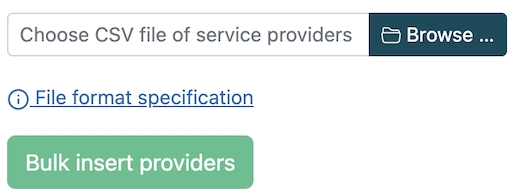
If you click on the "File format specification" link, it will expand to show you the specifications for the CSV file.
Delete Service Provider
Service Provider records can be deleted, but only if they have never been selected for the Referral Outcome section on a referral. To delete, open up the organisation record and click the Delete button. The button won't appear if it has been used for a referral outcome.