Status of referrals/referral timeline
Training videos - Referral to MMHCs using the PMHCIS
Training videos - Referral to other providers
Track the progress of a referral
As each step of intake is completed, a timeline appears along the top of a client’s referral page. The timeline signposts the progress of the referral and the date each step was completed. This is a fully completed referral's timeline:

Note: the Accepted status only applies to Hub referrals.
Incomplete referrals
A referral is considered incomplete if its status is New or In Progress. It will remain in the Incomplete referrals tab on the main page until it moves to the Completed status.
Finalising referrals
A referral moves to Completed status when:
- the client record has:
- forename
- family name
- gender
- phone or email
- postcode
- the referral has:
- referral origin
- and if the origin is not a self-referral that it has the referrer details
- and the IAR-DST level (unless the current organisation's setting enables an IAR-DST to be skipped)
- and the practitioner assessed level
- and the suicide referral flag
- and the 3 risk levels in the Risk Assessment
- and the consent to service (the first consent)
- and the outcome
Once the IAR form has been completed, Referral not sent appears at the bottom of the form. If this button is clicked it sets the referral sent date and time field to the current date and time. It also moves the status to Sent and locks the referral screen to prevent referral details being updated.
The form can only be unlocked by a user in the PHN Admin or Intake Manager role. Their user accounts are permitted to 'unsend' the referral.
Note: All referrals should be moved to Sent.
Skipping the IAR-DST and Risk Assessment
There is a function available in the PMHCIS that allows users to skip the IAR-DST. This is an Organisation setting. If the setting is applied, when on the referral page you will see a toggle 'Skip IAR-DST'
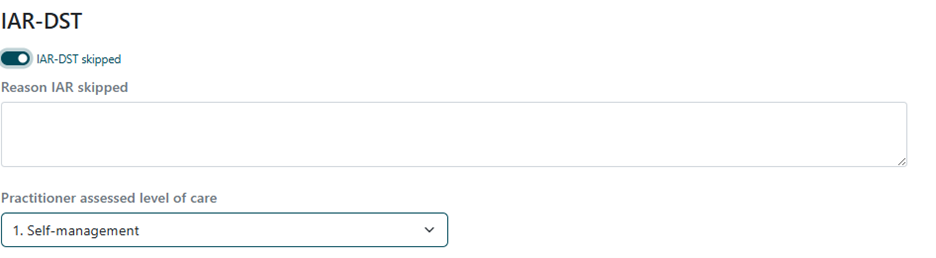
Once toggled on, a note box will appear to provide a reason that the IAR-DST has been skipped. This is mandatory.
Skipping the Risk Assessment
Once the IAR-DST has been skipped and the page has been saved, the option to skip the Risk Assessment will also be available.
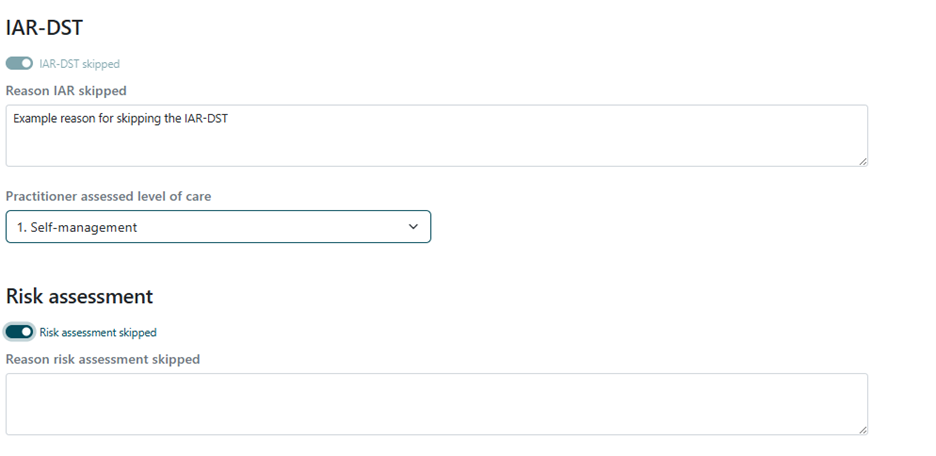
Similarly, once toggled on, a note box will appear to provide a reason that the Risk Assessment has been skipped. This is mandatory.
Unskipping the Risk Assessment and IAR-DST
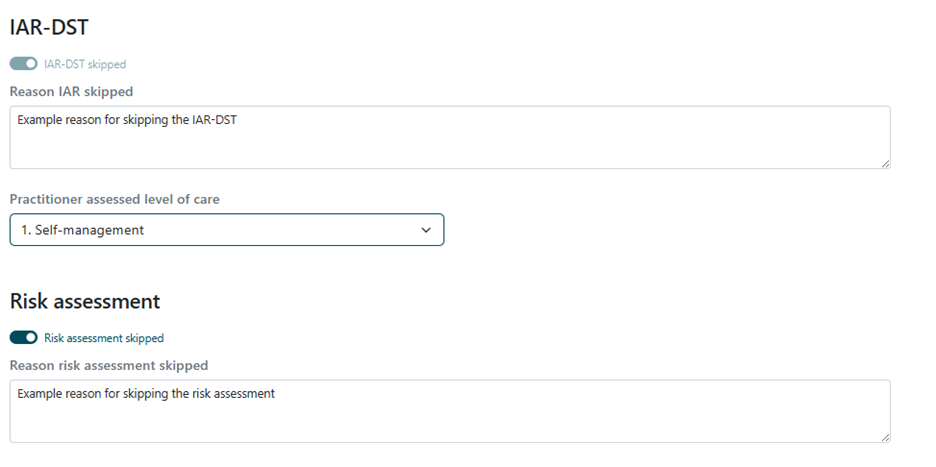
If you need to unskip the IAR-DST, you will need to unskip the Risk Assessment first. You cannot only skip the Risk Assessment. You will need to unskip the Risk Assessment to then unskip the IAR-DST.
Referring
Once the Referral record is Completed, the referral can be processes as required.
When referring, please refer to your local PHN local process. It is vital local processes are adhered to, or there is the potential for a consumer allocation to be missed.
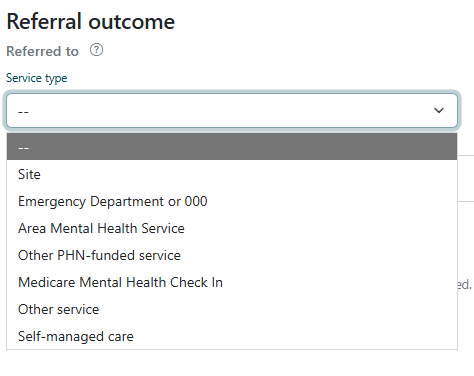
Self-managed care outcome
A referral outcome for ‘Self-managed care’ is available to indicate that the referral is closed because the client has chosen to manage their care independently.
Sending
In most cases, the Referral should be marked as Sent. Once it is Sent, most of the data on the Referral screen is locked from editing. To unlock it, it needs to be un-Sent. Only a user account assigned to the Intake Admin role can un-Send a referral.
Referring a consumer to a Site
To refer a consumer to a Medicare Mental Health Site via email the following steps must be completed.
- Complete the IAR form including the risk assessment and consent domains. Ensure that current referral owner field is allocated to the hub.
(Note: The ‘Referral origin’ field and 1st Consent is mandatory and must be completed.) - Once the relevant information has been recorded, click ‘Save’.
- Click on the email referral link button to create a URL of this client record. The URL will appear in a new email message.
(Note: only staff registered with PMHC IS webform will be able to access this URL). - Send the email to the hub, do not include consumer identifiable information.
- An alternate process may be to ‘print’ the referral and save it as a PDF into the PHN/ providers locals CIMS.
- To refer a consumer to a Medicare Mental Health Site via phone steps 1 to 3 must be completed. During the warm transfer phone call (see ‘Warm referral’ section), ask the hub staff member to search for the client referral using the search function (see ‘Search for a client record’ section).
Referring a consumer to another (non-Medicare Mental Health Centre) service
To refer a consumer to another service the following steps must be completed.
- Complete the IAR (Note: the current referral owner field does not need to be changed)
- Call the service provider. During the phone call indicate a referral is being made and request a fax number for the notes and IAR assessment to be sent to.
- To send the completed IAR form via fax - click on the “Print view” button at the top right of the form, then click the “Print” button.
- In the drop-down box for destination, select ‘save as PDF’ to save the document to a secure drive, then send the fax.
- Complete the referral by selecting the referral outcome from the drop-down list at the bottom of the form. You may enter the specific name of the service in the free text field.
Referring to more than one service provider
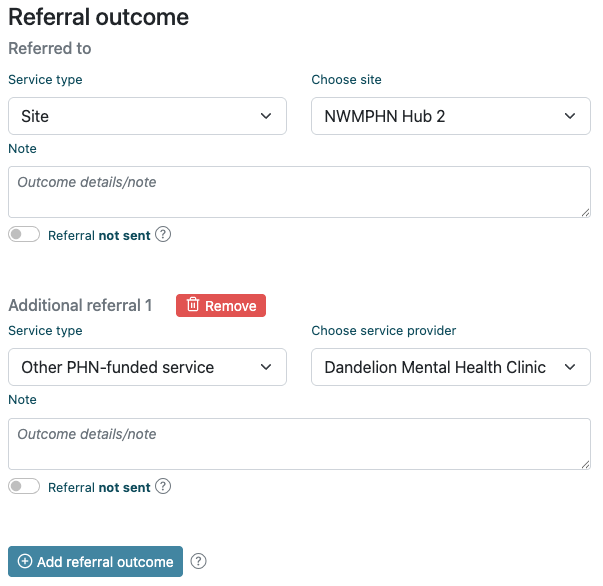
A client sometimes needs to be referred to more than one service provider. When applicable, the Intake form enables you to record more than one in the Referral Outcome section.
Once an outcome has been entered and the record saved, the Add referral outcome button will appear underneath the primary outcome. The screenshot below shows a record with a primary and secondary outcome already entered, and the button appearing underneath to enable another outcome.
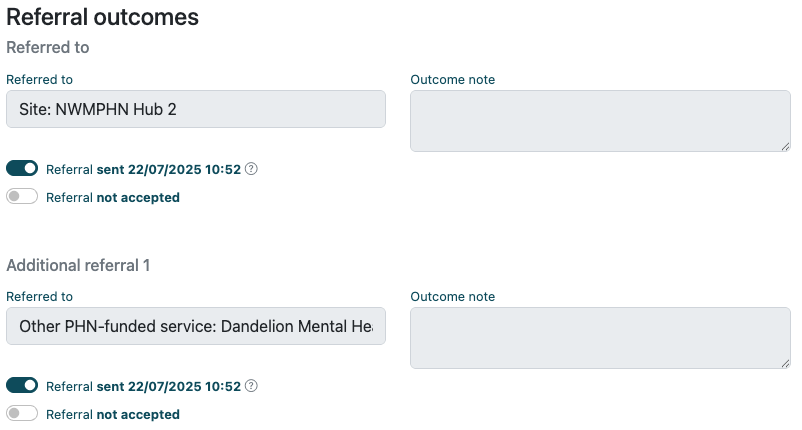
Please note: After adding new outcomes, users should ensure they save the referral first. After saving, the Sent toggle will be enabled when the referral status is Completed, allowing it to be marked as Sent. If the referral is incomplete (status is New or In Progress), the toggles will be locked, and outcomes cannot be marked as Sent.
Sent and accepted toggles will be visible for each outcome. The overall status of the referral will only change once all outcomes have progressed to the next status. I.e. once all referrals have been Sent, the overall referral status will be Sent.
Note that a secondary outcome can only be to a PHN-funded service or Other service. It does not permit a secondary referral to a Hub/Pop-Up, emergency, or acute service.
Once all referrals are toggled as sent, the referral will become locked and uneditable. If the referral is unsent, the record becomes editable again.
On the referral's print view, you can use the dropdown to choose which provider to display in the PDF. The dropdown does not appear in the PDF, but the name of the service provider will.

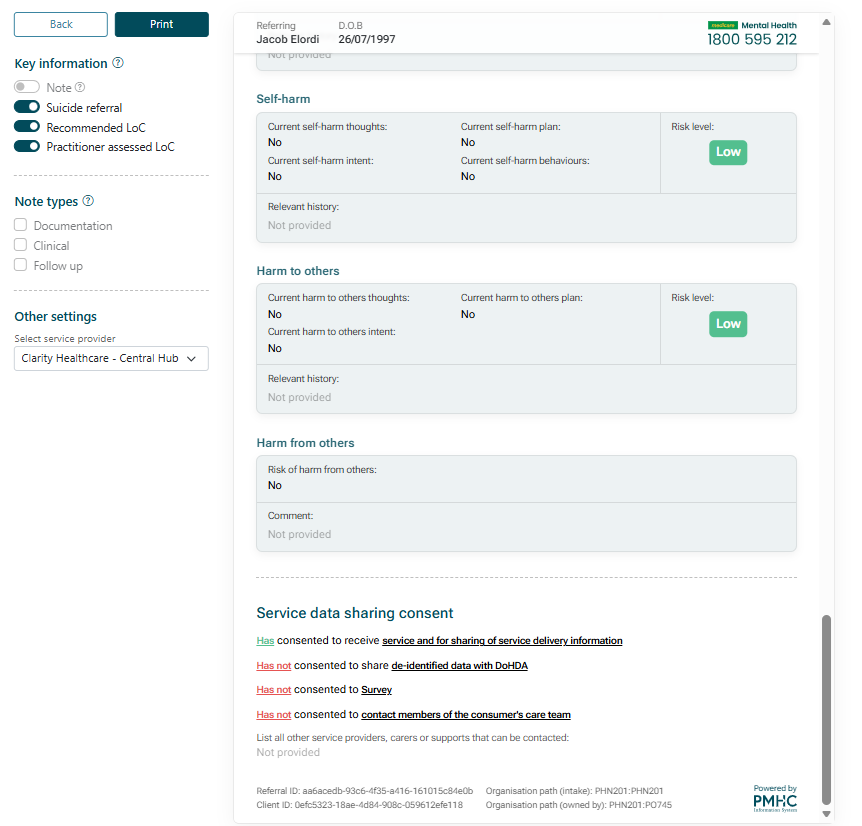
Referral Print PDF
The referral PDF has a side bar ‘Key information’ function that allows users to 'pin' fields including the Recommended LoC, Practitioner Assessed LoC, and the suicide referral fields, along with one note that can be selected. These fields are shown in their regular spot on the referral PDF regardless but are toggled on to show in the pinned section at the top of the referral PDF by default. This can be toggled off if desired.
Note types to be shown can also be selected.
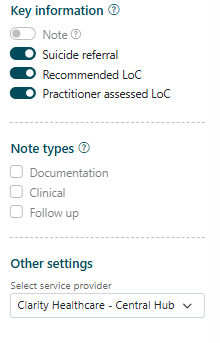
If referring to multiple service providers, you can select from a drop down which provider to label the referral to.
The referral PDF can be printed or saved as a PDF for sharing with external service providers.
Communications Preference
When finalising referral options with consumer, ask whether they would prefer;
- A call back to confirm service support options
- A text / SMS message
- An email
When information is relayed by phone, make sure wherever possible to follow up with contact details of service provider by text message or email.
If the consumer prefers to have information delivered by email, the intake worker should ask the referrer to make sure they check their junk mail if the email does not arrive.
Advising the consumer of referral outcome
The intake/hub staff must advise the consumer of the outcome of referral using their preferred communication method; call, text or email.
Text / SMS message: Send a text message to the consumer with the referral outcome.
Suggested Script: Thanks for calling Medicare Mental Health, we’re glad you reached out. We referred you to ______ get further support. You can reach them on (add webpage, phone number etc.). You are welcome to call Medicare Mental Health again if additional support is required. Please do not reply to this text.
Email: Send an email with interim support numbers/service suggestions as appropriate.
This may include:
- Lifeline 131114
- Beyond Blue Corona Virus Mental Health Wellbeing Support Service 1800 512 348
- Mental Health triage number appropriate for consumer’s region if appropriate
- An invitation to call again if additional support is needed.
7 Day check in
Following completion of the IAR ask for consumer consent to send a check in text message in 7 days.
Suggested Script: Hi, this is the Medicare Mental Health intake team. We hope that you’ve been able to get the support you need. If you’ve had any difficulties connecting with the service, we referred you to, please call us back on 1800 595 212. Please do not reply to this text.
Correspondence- Medicare Mental Health Branding
Email: All emails should be sent from a Medicare Mental Health e-mail address, with branded signature.
Written correspondence: All letters sent to consumers and professionals as a result of Medicare Mental Health call must be on Medicare Mental Health letterhead.
Navigating appropriate services
When determining the type of service, a consumer might require, take into consideration the following:
- The benefits of a warm referral in connecting consumers with care, and having this process supported.
- The consumer’s history of successfully connecting with services.
- Whether the consumer is experiencing substantial psychosocial stressors that may inhibit their ability to connect with another service i.e.: homelessness, violence.
- Whether the consumer is subject to other factors that may make facilitating a connection challenging i.e.: from a CALD background, communication difficulties or disability.
- Whether the consumer is assessed as high risk for suicide, self-harm, harm to others or harm from others.
- If a consumer appears capable and confident to facilitate action plan on their own, provide support provider’s phone number or website by phone, SMS, or e-mail (see Appendix 7 – Sample consumer email).
- Provide a copy of the IAR with consent (sent via secure method).
Warm referral
A warm referral is a supported referral that aids a consumer to access care by sharing their personal information and presenting needs (with consent) to another service/ support, to facilitate in the engagement in care. A warm referral may include;
Calling the provider with the consumer on the phone to facilitate a hand over/ transfer. Where this is not possible intake may:
- Call the provider to determine eligibility, waitlist and narrowing down to a particular professional that meets consumer’s needs.
- Once provider is determined, giving a verbal handover before providing a copy of the IAR to the ongoing provider.
- Ask the provider to contact the consumer directly to facilitate linkage.
- Provide the consumer with the service contact details.
May include warm referral to a GP or general practice if the consumer does not currently have a provider.